
If your a retailer that sells to businesses customers, Hyperspace will generate a special E-Invoice for business clients. This invoice has a different layout compared to the Simplified E-Invoice. It also contains more information.
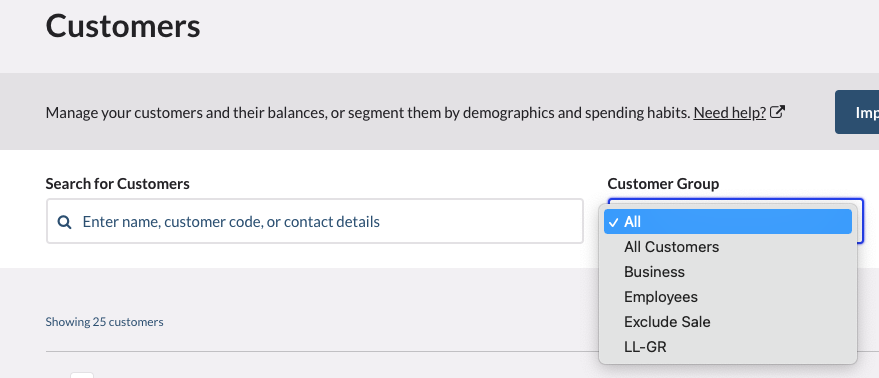
The first step is to login to VEND Point of Sale and create a customer group for only Business Clients. New groups can be added to VEND Point of Sale under 'Customers > Groups > New Group.
The next step is to login to your Hyperspace settings and click in the E-INVOICE SETTINGS tab.
Next click on the button at the top right called: SYNC DATA FOR SETTINGS.

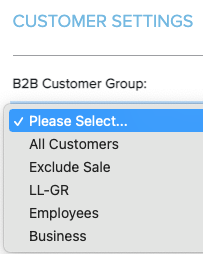
Next scroll down and click on the CUSTOMER SETTINGS tab.

And choose the Business Client Group that you created in VEND from the drop-down list.
Next scroll down to the Customer Mapping Attribute section in Hyperspace.

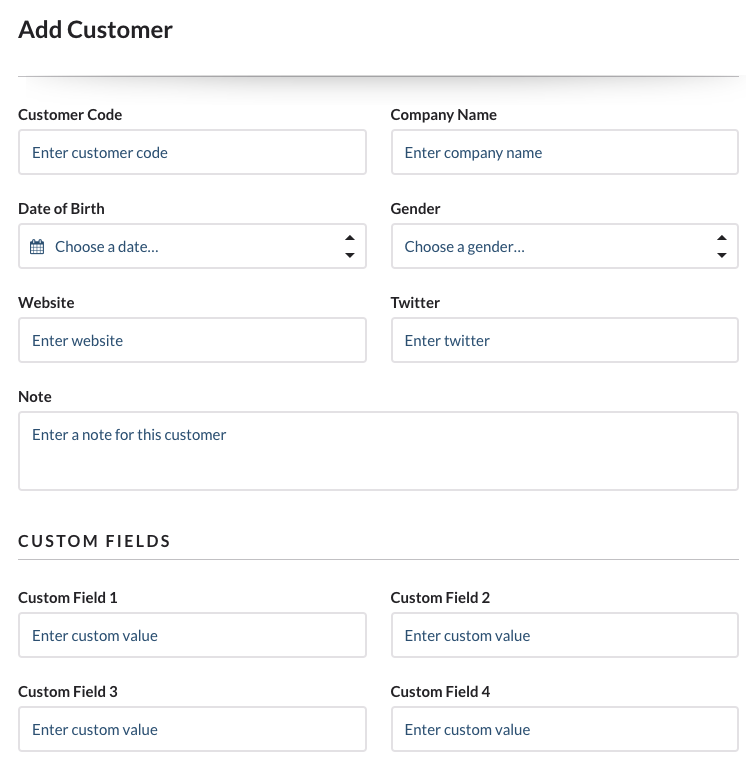
Locate the field called: VAT number and select a corresponding field in VEND. The field you select in VEND should contain the Buyer VAT number in VEND Point of Sale.

We recommend using one of the 4 custom fields that exist on the customer account in VEND Point of Sale.
At this stage, your Business to Business customers will receive the Complex E-Invoice and it will contain the Buyer VAT.